Demo Play Under UKGC Rules: What the Free Session Actually Shows
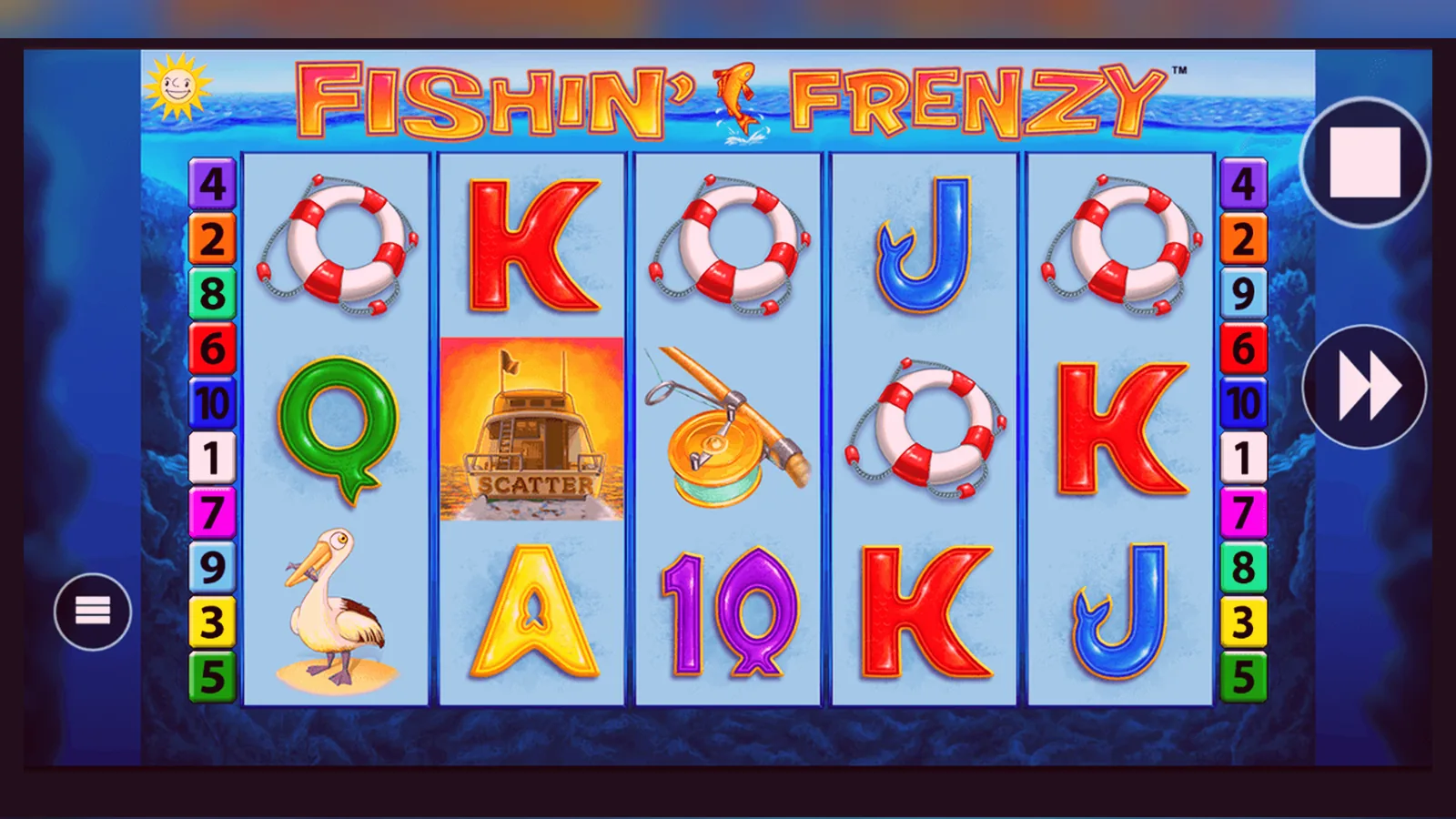
The stake selector runs from £0.10 to £5.00 per spin in ten-pence increments — twelve steps in total. That range matters because the £5 cap is statutory: every UKGC-licensed site serving British players enforces it once you switch to real money, and players aged 18–24 face a £2 limit. The demo obeys the same spread, so the session you play for free is the session you get when you deposit.
Demo play exists in two forms here. Some operators gate it behind age verification: you create an account, pass the initial identity check, then unlock free play without depositing. Others let you spin the reels before sign-up, no registration required. Both versions use the same RNG and pay table as the real-money game; the difference is whether the site has confirmed you are over 18 before you see the demo. The UKGC does not mandate either approach, but since April 2025 most large brands have moved age checks earlier in the funnel.
Where the Demo Runs and What You Need to Start
The game loads in your browser — desktop or mobile — without a download. Flash is long dead; the build is HTML5, compatible with Chrome, Safari, Firefox and Edge. On a phone the interface scales to portrait or landscape; you tap the spin button and adjust stakes with a slider or picker. No dedicated app exists for Fishin Frenzy, and no APK is circulating for Android sideloading: it is a browser slot, and the demo version sits on the operator's own domain.
If the site requires registration before demo play, the sign-up flow asks for your name, date of birth, address and a way to verify age — often a passport number or driving licence checked against a credit-reference database. The check runs in seconds if the data matches; if it does not, the site requests a photo of the document. You are not asked to deposit at this stage, and your demo balance appears once verification clears. If the site offers instant demo play, you click a « Play for Free » button on the game page and the reels load with a fictional balance of £500 or £1,000. That balance resets when you refresh the page or close the tab.
- Registered demo: account created, age verified, no deposit required, balance persists across sessions until you reset it manually.
- Instant demo: no account, balance resets on refresh, sometimes a cookie-consent banner blocks the game until you accept tracking.
- Mobile: same mechanics, touch controls, occasional stuttering on budget Android handsets if other tabs are open.
The Numbers That Transfer and the Ones That Don't
RTP, volatility, hit frequency and the bonus-trigger probability are identical in demo and real-money mode: 96.05% return-to-player, high volatility, roughly one bonus round in every 150–200 spins. The pay table does not change. Three scatters award ten free spins with the fisherman wild collecting prize fish; four scatters give fifteen spins, five scatters twenty. The maximum win sits at 5,000× your stake — £25,000 if you are staking the full £5.00 on a 25+ account. All of that holds true whether you are spending demo credits or your own money.
What does not transfer: your demo balance, the spin history, and any win streaks or losing runs you experienced in free play. The RNG does not remember your demo session. When you deposit and start real-money spins, the game draws a fresh sequence from the same random-number generator that powered the demo, but your prior results have no influence. If you triggered five bonuses in a hundred demo spins, that pattern will not repeat. If you lost twenty consecutive spins, the next real-money sequence is not « due » to pay. Each spin is independent.
What the Demo Session Hides
The demo gives you the reels, the maths and the interface, but it cannot simulate three back-end processes that govern real-money play: KYC document checks, bonus wagering requirements and withdrawal times. All three involve money leaving the operator's balance sheet, so they appear only after you deposit.
KYC — know your customer — is the identity and address verification the UKGC requires before your first withdrawal. You upload a photo ID (passport, driving licence or national identity card) and proof of address (bank statement, utility bill, council tax letter dated within three months). The site cross-references your name, date of birth and address against credit-reference agency data and, since January 2026, against the GAMSTOP self-exclusion register. Processing takes 24–48 hours on weekdays, longer over a weekend or bank holiday. Until the check clears, any balance in your account is locked for withdrawal — you can play it, but you cannot move it to your bank. The demo does not mention this wait, and players who deposit to claim a welcome bonus often discover it only when they try to cash out.
Bonus wagering is the second hidden layer. A typical UK welcome offer — 50 free spins or a 100% deposit match up to £100 — carries a wagering requirement of 35× to 50× the bonus value. If you take £50 in bonus funds, you must wager £1,750 to £2,500 before the winnings become withdrawable. Those wagers must come from eligible games — usually slots — and many bonuses impose a maximum bet of £5 per spin while wagering is active. Fishin Frenzy qualifies as an eligible slot on most sites, and the £5 cap aligns with the UKGC stake limit, so you can play through the requirement at full stakes. But the demo has no bonus mechanism: it cannot show you how long 1,750 spins take or how volatile the balance becomes during that period.
Withdrawal speed depends on your payment method and the site's processing queue. E-wallets like PayPal or Skrill pay out in a few hours once KYC is complete; Faster Payments bank transfers take the same day to two working days; debit-card refunds take one to three working days. The first withdrawal is the slowest because it includes the document review. Subsequent withdrawals skip that step and process faster, but the site may request additional documents if your deposit pattern changes or if you cross an affordability threshold.
Affordability Checks and the £150 Threshold
Since September 2024, UKGC-licensed operators must conduct affordability assessments when net deposits — money in minus withdrawals — reach £150 in a rolling 30-day window. The first stage is a « light-touch » check using credit-reference data: the site queries Experian, Equifax or TransUnion to estimate your income, existing credit commitments and signs of financial stress such as payday loans or county court judgements. If the data suggests you can afford your gambling spend, play continues without interruption. If the data is inconclusive or indicates risk, the site requests proof of income: payslips, tax returns, bank statements showing salary credits, pension statements, or rental income documentation.
The threshold was lowered from £500 to £150 in April 2026 as part of the government's white paper on gambling reform. For context: £150 a month is five £30 deposits over thirty days, or one £150 deposit without any withdrawals. If you deposit £200 and withdraw £100, your net deposit is £100, below the threshold. If you deposit £200 and lose it all, the site will trigger the check at your next deposit. The process is automated: the site flags your account, runs the credit query, and either clears you to continue or sends an email requesting documents. You have seven days to respond; if you do not, the account is suspended until you provide the information or the 30-day window resets.
Demo play sits outside this system because no money changes hands. You can play a thousand demo spins, reset the balance, play another thousand, and no affordability check will fire. The check activates only when your real-money deposits cross the threshold. This creates a mismatch: the demo lets you simulate high-stakes sessions — £5 per spin, 200 spins, £1,000 wagered — but replicating that spend in real money will trigger the affordability process within a week if you deposit the full amount.
Stake Caps by Age and How They Appear in the Game
Players aged 25 and over face the standard £5-per-spin cap. Players aged 18–24 face a £2 cap, introduced in September 2024 under the National Strategy to Reduce Gambling Harms. The cap applies to every spin on every online slot, not just high-volatility games. The operator enforces it at account level: when you register, the site records your date of birth from your ID document, calculates your age, and configures your stake ceiling accordingly. The interface does not let you select £2.50, £5.00 or any step above £2.00 if you are under 25. The slider or picker stops at £2.00, and the spin button will not activate if you somehow send a higher stake value through the API.
In the demo, the full £0.10–£5.00 range is visible because the game does not know your age until you create an account. If you play instant demo before registering, you can stake £5.00 per spin. If you register and your date of birth shows you are under 25, the real-money version of the game will cap your stake at £2.00, and the demo will update to reflect that limit once you log in. Some sites apply the cap retroactively to the demo session; others leave the demo uncapped because it uses fictional funds. Either way, the cap is statutory, and no operator can waive it or offer a workaround. You turn 25, the cap lifts; the site checks your age against your ID document, not a self-declared birthday in your profile settings.
| Age Group | Stake Cap | Max Win at Cap | Demo Stake Range |
|---|---|---|---|
| 18–24 | £2.00 per spin | £10,000 (5,000× £2) | £0.10–£2.00 after login |
| 25+ | £5.00 per spin | £25,000 (5,000× £5) | £0.10–£5.00 |
Demo Play on a Phone: Interface and Performance
The mobile build is the same HTML5 package that runs on desktop, with touch targets enlarged for thumbs and the control panel repositioned below the reels in portrait mode. You tap to spin, tap and hold to enter auto-spin mode, swipe the stake selector or use plus-minus buttons to adjust your bet. The pay table opens in a modal overlay; you close it by tapping outside the frame or pressing a cross icon in the top corner. The demo balance counter sits in the header, updating after each spin. No separate UI exists for demo versus real money — the balance label changes from « Demo Credits » to « Real Balance », and a small icon (usually a coin or currency symbol) appears next to the figure when you switch to deposited funds.
Performance depends on your device and connection. A mid-range iPhone or Samsung Galaxy on 4G or Wi-Fi handles the game smoothly: each spin completes in two to three seconds, including reel animation and win evaluation. Budget Android handsets with 2 GB of RAM or less may stutter if you have multiple browser tabs open or background apps consuming memory. The game does not crash, but the reels judder during the spin animation, and the bonus round can lag when the fisherman wild moves across the screen collecting fish symbols. Closing unused tabs and switching to Wi-Fi usually resolves the stutter. The demo is more forgiving than real-money play because you are not waiting for balance updates or withdrawal processing, but the underlying engine is identical, so persistent lag in the demo will carry over to real money.
- Portrait mode: reels fill the screen, controls at the bottom, pay table and settings accessed via icons in the top bar.
- Landscape mode: reels on the left, control panel on the right, balance and stake displayed in a horizontal strip above the reels.
- Touch gestures: tap to spin, tap and hold for auto-spin, swipe or tap plus-minus for stakes, pinch to zoom pay table images on some builds.
Switching to Real Money: The Lowest-Risk Path
The safest way to move from demo to real money is to start with the minimum deposit the site allows — usually £5 or £10 — and stake the lowest amount the game permits: £0.10 per spin. That gives you 50 to 100 spins before the balance depletes, enough to see whether the volatility suits your temperament and whether the bonus round triggers at the frequency you expect. Do not claim a welcome bonus on this first deposit. Bonuses lock your balance behind wagering requirements, and until you understand how long it takes to wager 35× or 50× the bonus value, you risk burning through your deposit without ever reaching withdrawable funds.
Deposit via a payment method in your own name. Credit cards have been banned for online gambling in the UK since April 2020; debit cards (Visa, Mastercard), PayPal, Apple Pay and Open Banking (Trustly, Plaid) are the standard options. The first deposit triggers an age and identity check if you did not complete one during registration. The site may ask for a photo of your ID or proof of address before it credits your account. This is mandatory under UKGC rules and applies to every licensed operator. Once the check clears, your deposit appears in your balance, and you can start real-money spins at the stake level you choose.
Set a deposit limit before you play. Every UKGC site must offer daily, weekly and monthly limits; many set a default £100-per-day limit on new accounts, but you can lower it to £10 or raise it to £500 depending on your budget. The limit cannot be increased instantly: the site enforces a cooling-off period of 24 to 72 hours between the request and the new limit taking effect. Decreases apply immediately. Combine the deposit limit with session reminders — alerts that pop up after 30, 60 or 90 minutes of continuous play — and a loss limit if the site offers one. These tools do not eliminate risk, but they create friction that gives you time to decide whether to continue.
- Deposit the minimum amount (£5–£10) without claiming a bonus.
- Stake £0.10 per spin to extend the session and observe volatility.
- Complete the first KYC check before you attempt a withdrawal; upload documents during a quiet moment, not when you are chasing a payout.
- Set a deposit limit at or below your comfortable monthly gambling budget; assume you will lose the deposited amount.
- Claim a welcome bonus only after you understand the wagering requirement and have tested the game at low stakes.
Checking the Licence Before You Deposit
Every site serving British players must hold a remote gambling licence issued by the UK Gambling Commission. The licence number appears in the footer of the site, usually next to the UKGC logo and links to responsible-gambling resources. You can verify it by searching the UKGC public register at gamblingcommission.gov.uk: enter the operator's name or licence number, and the register returns the licence status, the licensee's legal entity, and any enforcement actions or warnings. If the operator's name in the register does not match the brand name on the site, look for a « trading as » note in the licence details — many casinos operate under a parent company with a different legal name.
Unlicensed sites are illegal to advertise or operate in the UK, and players who deposit with them have no protection if a dispute arises. The UKGC does not process complaints about unlicensed operators; you would need to pursue the matter through the operator's home jurisdiction, often Malta, Curaçao or another offshore regulator with limited enforcement power over British players. Licensed operators are required to segregate player funds from company funds, hold them in a separate trust account, and return them in full if the company becomes insolvent. Unlicensed sites have no such obligation.
Some comparison sites and affiliate pages list offshore casinos alongside UKGC-licensed ones without clearly marking the difference. If a site offers stakes above £5 per spin, accepts credit cards, or does not display a UKGC licence number in the footer, it is unlicensed. The game itself — Fishin Frenzy — is legal to play on a licensed site; the risk lies in where you play it. Bluepoint Gaming, the developer, supplies the game to licensed and unlicensed operators, but the studio does not control where the game appears. Your recourse if something goes wrong depends entirely on the operator's licence status.
FAQ
Do I need to register to play the Fishin Frenzy demo?
It depends on the operator. Some UKGC-licensed sites let you play the demo instantly without creating an account; you click a « Play for Free » button and the game loads with a fictional balance. Others require you to register and pass an age-verification check before unlocking demo play. Both versions use the same RNG and pay table, and the stake range runs from £0.10 to £5.00 in both modes. The difference is whether the site has confirmed you are over 18 before you see the reels.
Does the demo pay real money?
No. The demo uses fictional credits that reset when you refresh the page or log out. Wins accumulate in your demo balance, but you cannot withdraw them or convert them to real money. The RTP, volatility and bonus mechanics are identical to the real-money version, so the demo shows you how the game behaves mathematically, but the balance itself has no cash value.
What happens when I switch from demo to real money?
The game engine does not change — same RTP, same volatility, same bonus frequency — but your stake becomes real money, and your balance updates with actual deposits. The RNG does not remember your demo session: if you triggered bonuses frequently in free play, that pattern will not repeat when you deposit. You will also encounter KYC checks, bonus wagering requirements and withdrawal processing times, none of which appear in the demo. The first withdrawal takes 24–48 hours because the site verifies your identity and address before releasing funds.
Can I play the demo on my phone?
Yes. The game is built in HTML5 and runs in your mobile browser — Safari on iPhone, Chrome or Samsung Internet on Android. No download or APK is required. The interface scales to portrait or landscape, and you control the game with taps and swipes. Performance is smooth on mid-range and flagship devices; budget handsets with 2 GB of RAM or less may stutter during the bonus round if you have multiple tabs open. The demo works the same way on mobile as it does on desktop: same stake range, same balance reset, same mechanics.